
This post may contain affiliate links. If you make a purchase through links on our site, we may earn a commission.
How to Start a Blog and Make Money in 2025 – Step by Step

Create My Own Blog?! I Don't Know Where to Begin?
“Help me with starting a blog!” I've got some subscribers and visitors out there that really want to jump on the blog bandwagon. Blogs have been around for awhile – but there is no time like now for starting a blog of your own! My blog is something that I not only adore working on and building – but it's extra income for me and my family. Actually, for me, it's how I am saving for retirement more than anything. I got started very late in the game with my retirement, and I have many regrets about it. But my blog is helping me toward my retirement goal. And though that may not even be close to what your goal might be — you can earn with a blog, so the sooner you get started… the closer you'll be to obtaining your personal goal.
I really want to help you get your blog started. I think you'll actually be downright shocked out how easy it is to get started. I understand your anxiety about all of it. As a matter of fact, in 1999 I knew NOTHING about websites at all. I taught myself HTML and struggled and learned. BUT – after 10 years in HTML, I decided to move my site into WordPress and I was SO terrified. So I get it.
But WordPress is AMAZING. And it's AMAZINGLY easy to use as well. Even for newbies.
You'll want to click here to start your blog using WordPress.
Because most of us are on a budget, Bluehost lets us start our blog on a dime. Everyone I have spoken with that has used Bluehost has raved about the affordability and the service. They are extremely reputable and if you look at Consumer Rankings, you'll see that are listed as one of the TOP THREE hosts. And though it might be tempting to go EVEN cheaper with your hosting… remember, you still want great service and support. That's why Bluehost wins out for me. Also — Bluehost helps you get your domain name FREE. Yes, FREE.
So if you're really struggling with why you should go with Bluehost, here are some things to think about:
1. Like I said, you're going to get support. This is important because sometimes things just “happen”. And though it may never happen to you, if it does – you're going to be so relieved you've got your own kind of “Batman” (or BatGirl) waiting in the wings to help.
2. The FREE domain that I mentioned. I own far too many domains. I collect them like other people collect beanie babies. Some of them cost me around $15 a year to renew and I don't even have a site built for them yet! By going with Bluehost you get your domain name free. There is a savings for you right off the bat. NICE!
3. Hosting can run the gamut – I've seen hosting anywhere from $1.50 a month to $150 a month (or more!). Bluehost is going to give you a very affordable price for hosting. Less than that fancy Starbucks Caramel Macchiato you bought recently! Literally only $3.49 a month. Think about this… in as little as a few minutes, you could have your domain name, hosting and WordPress blog all up and running and you won't even break the bank. Heck… this is couch cushion money!
4. You'll be in control of YOUR blog. Unlike places like Blogger where you're not in control. You are at the helm and in charge.
5. Your domain name is your url (link). There is nothing added to it like mywebsite.blogspot.com — NO! You don't want that. You want JUST your domain name. It's easy for people to remember and looks way more reputable.
6. Bluehost WANTS you to succeed and they WANT you to be happy. This is why they strive to give everyone affordable rates and excellent customer support.
7. Bluehost stands by their service.
So, getting started is as easy as clicking here.
The sky's the limit. So give some thought to a domain name that you love and that conveys your message. (This is actually my favorite part!) Yes – there are lots of names already taken… but just be creative and my advice is to make it something catchy. Yes, short is good — but you have a little room too.
Too Long: MyBlogIsSoAmazingandAwesome.com
Probably a little long.
But…
You could go with…
AmazingMe.com
You get the idea. Just make sure you really love it. “Domain Name Regret” is a real thing.
Creating Your Own Blog Gets Even Better — So Don't Worry!
The other wonderful thing about Bluehost is they offer amazing tutorials. Oh, how I wish this was all around back in 1999 when I was beginning my site and pulling my hair out because I was so lost and frustrated. I mean, I survived it all — but I still feel a little traumatized by it all. I had a six-year-old playing with legos next to me and a baby on my lap and I was crammed in a tiny corner in my dining room just beside myself and about in tears often. [clickToTweet tweet=”But YOU…yes YOU don't have to face that kind of blog start-up anguish.” quote=”But YOU…yes YOU don't have to face that kind of blog start-up anguish.”] Bluehost REALLY wants you as a client and they REALLY want you to succeed. So they've created far better tutorials than I ever could to help you.
The tutorials you need are below – and if ANYTHING goes wrong (which I seriously doubt it will) — Bluehost has your back. But these videos will make this even easier for you. So once you've got your domain name and hosting set up with Bluehost, you're going to want to crack into these tutorials.
TUTORIALS FOR CREATING YOUR OWN BLOG
How to install WordPress using Mojo Marketplace (in your control panel at Bluehost)
*Get ready to be amazed by the simplicity!
How do I transfer my domain name?
*Maybe you have a blog already, but you're wanting more affordable hosting or better support. Bluehost has got you! Simple instructions to follow.
Create Your Own Blog. Yes.
Not only does Bluehost want you to succeed, but I do. My blog has been and still is incredibly rewarding. And though I've been at it for 15+ years, it never gets old. The people I've met, the people I've helped – it's an amazing journey. A journey I want to continue as long as I possibly can. I've sunk a good portion of my life into this blog and I have never looked back. And there have been times along the way that have been devastating and heartbreaking, but I always brush myself off and I always come back to my blog. I really feel like my blog is kind of my spirit animal (no kidding!). It fulfills me and it's something that makes me very proud. It's like a child that I've nurtured and helped grow. But it also keeps me sane in many ways.
Create your own blog…. if it's what you feel in your heart and what you want to do, then let nothing stop you. Even people that say no… heck, even if a little part of you says “no… this is too hard for you” — shut those voices down. If this is your dream – then dream big and get started. You can be up and running within the next few minutes. So go for it…click here to start your blog using WordPress.
Making it Even Easier…to Start That Blog!
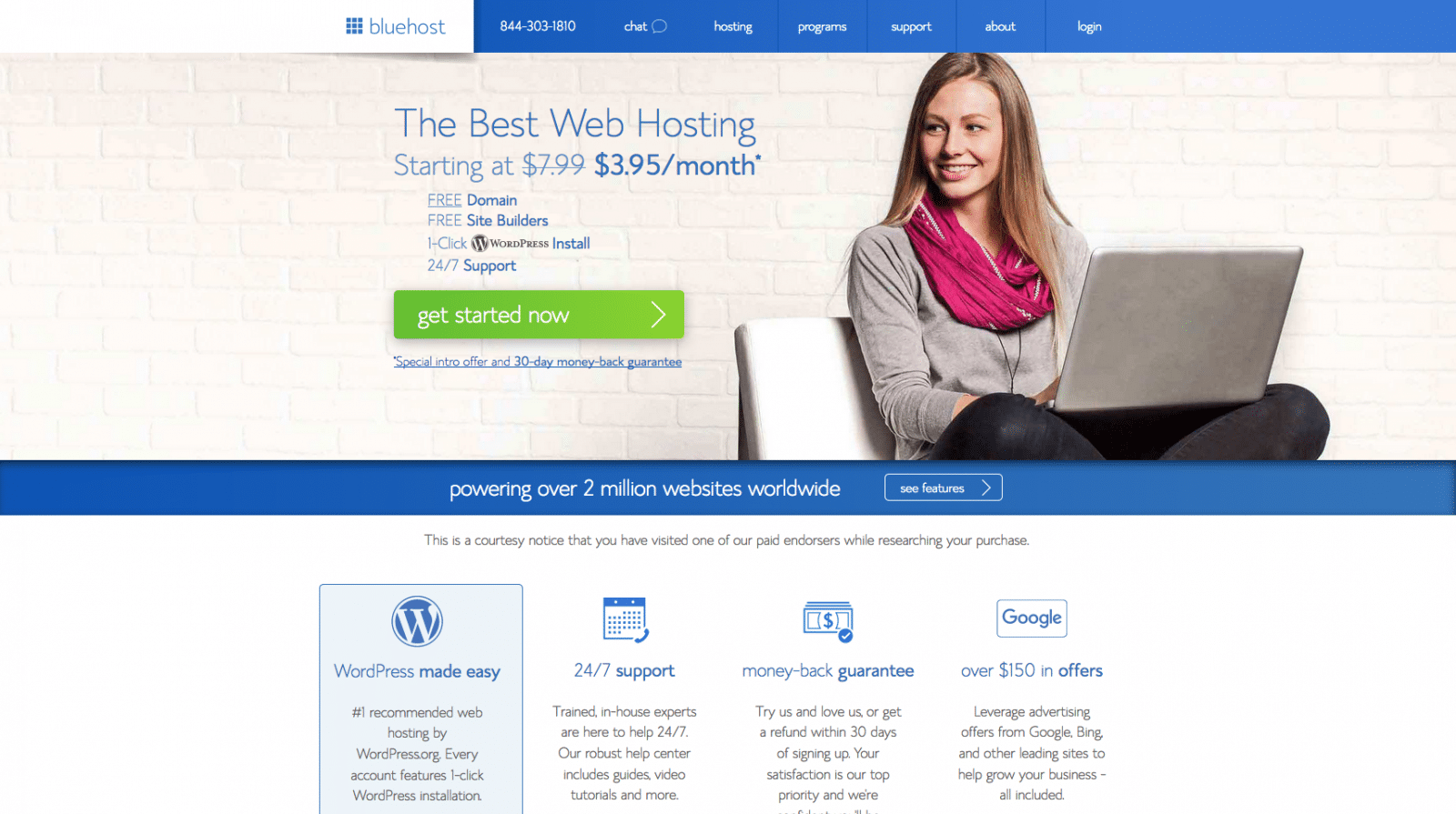
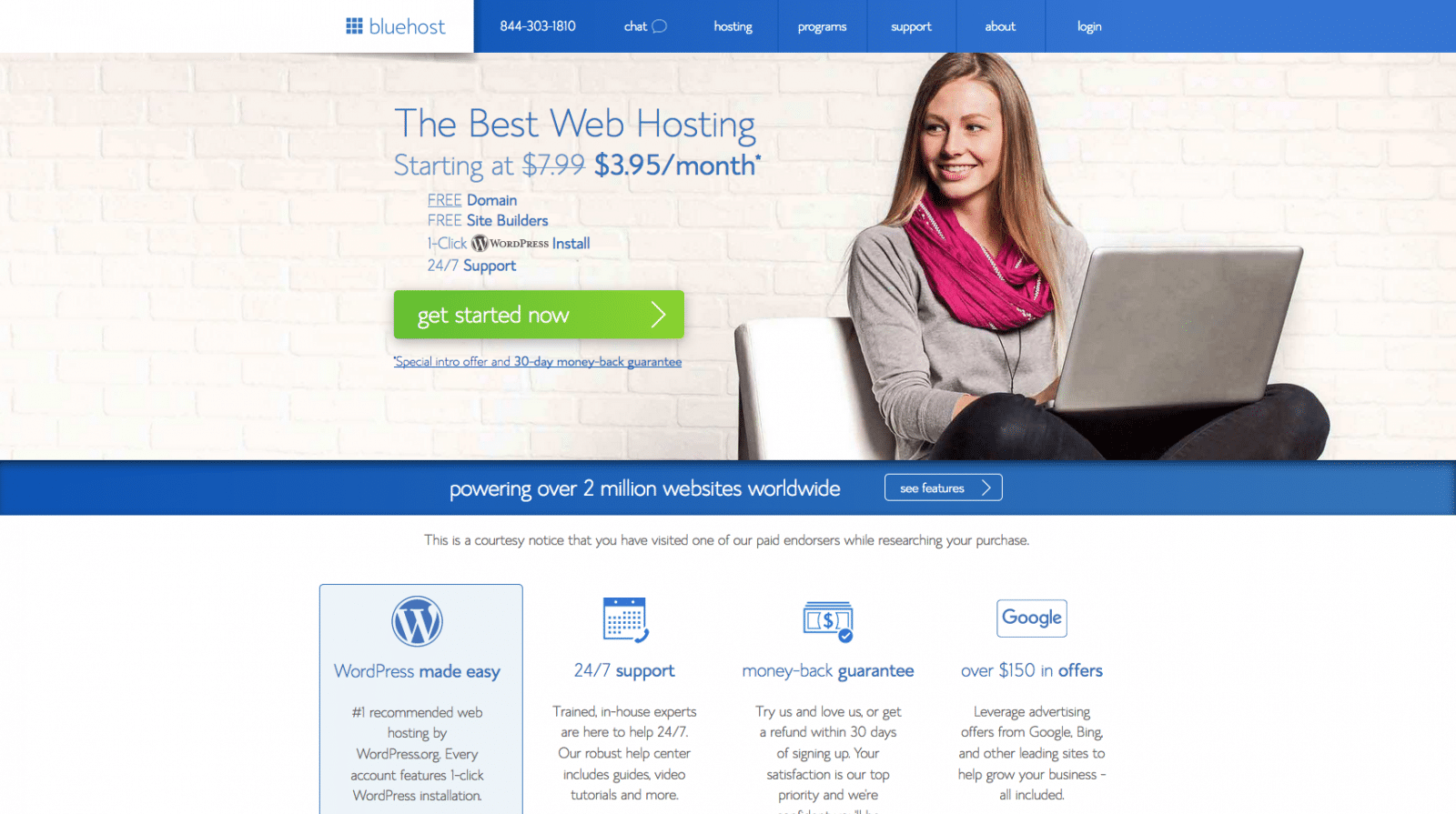
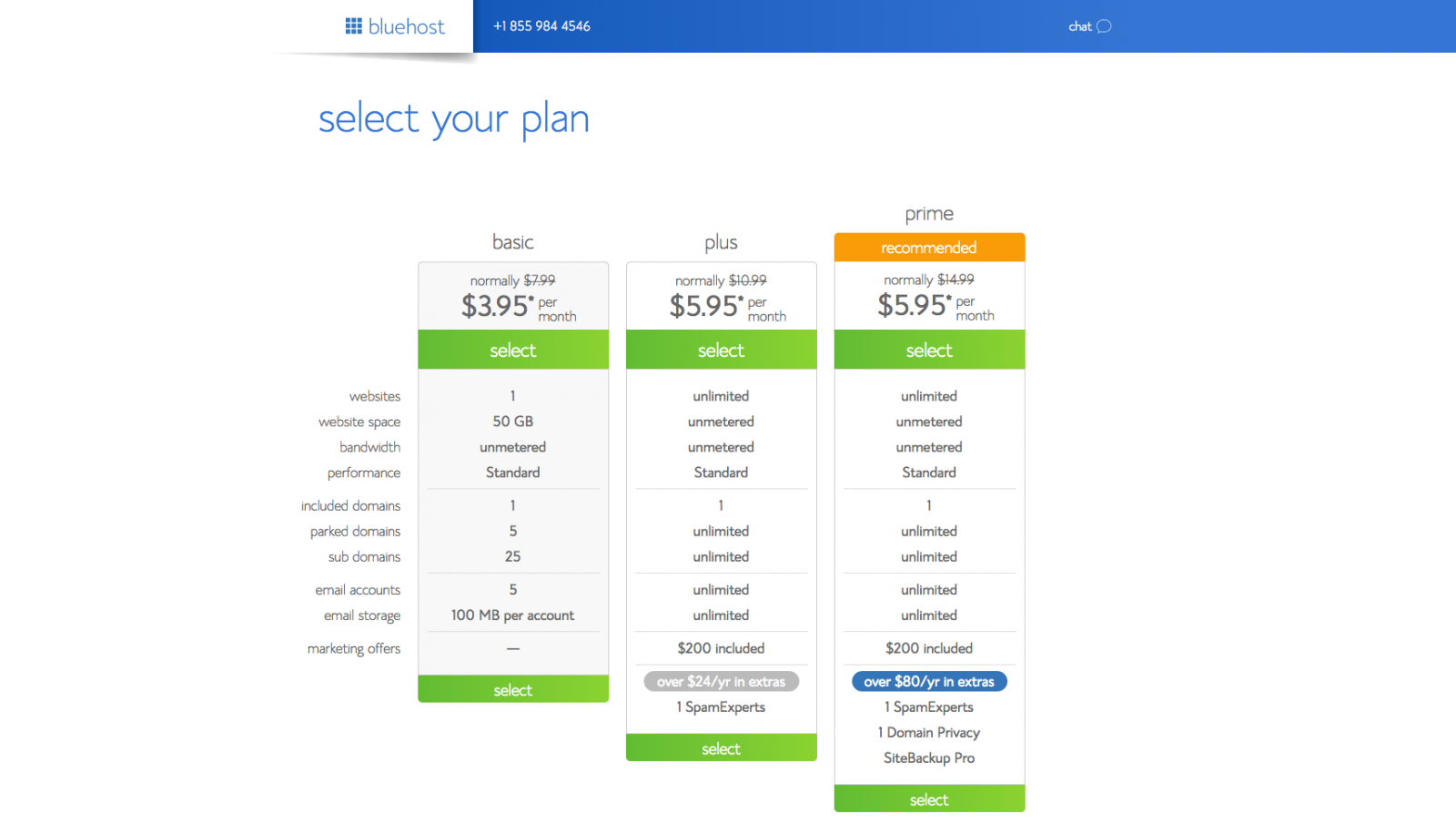
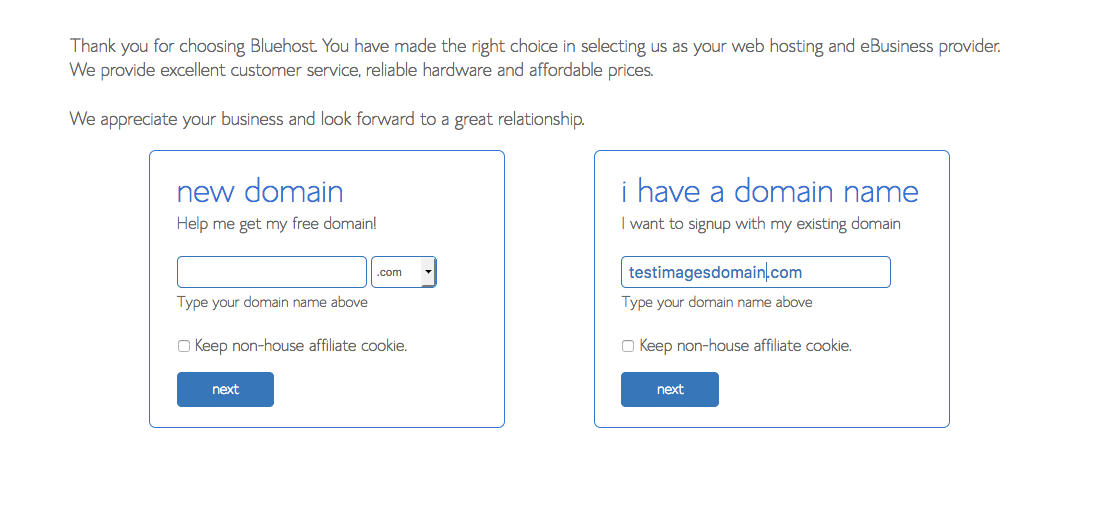
Below, I've got screenshots to walk you through the process, I thought this might reassure anyone that's got their toe in the water, but just wants a bit more help before that leap.
1. Go to the Bluehost site:
2. Select the plan you're wanting, all are affordable:
3. Get creative, here's the time to pick your blog's domain name:
4. You'll enter your account info next – this is just basic info for billing and contacting.
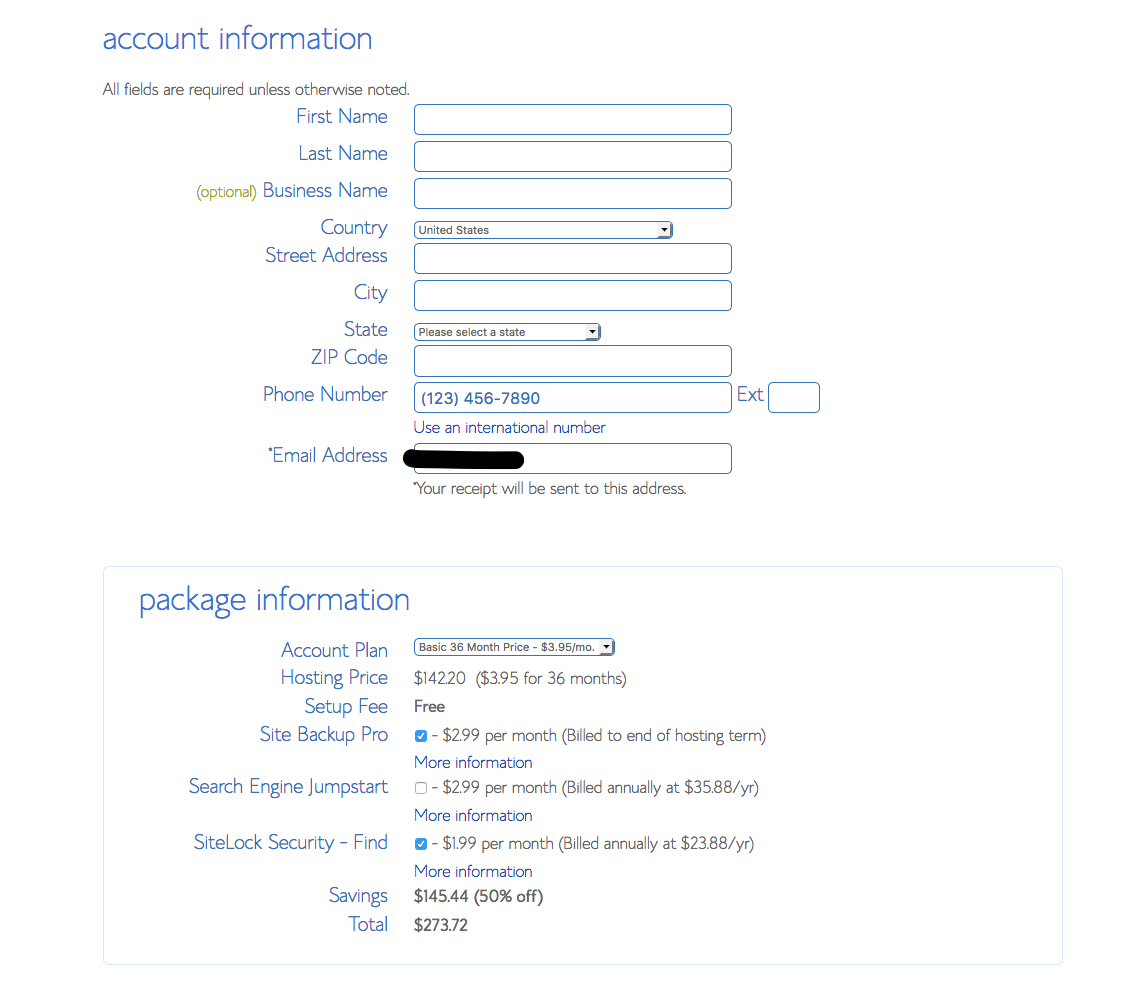
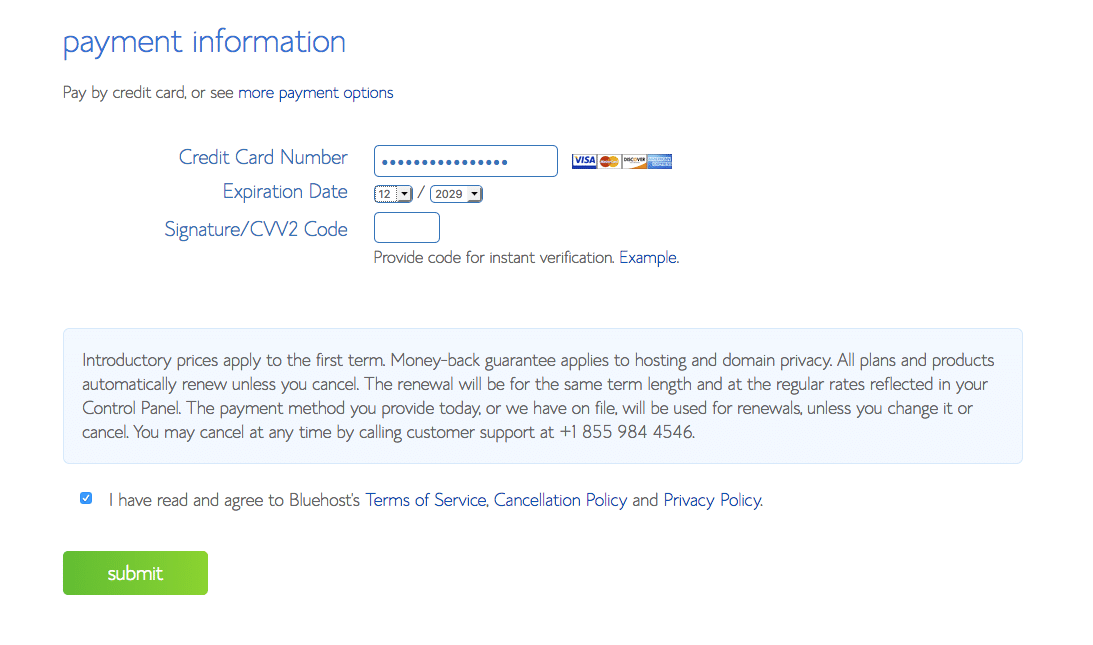
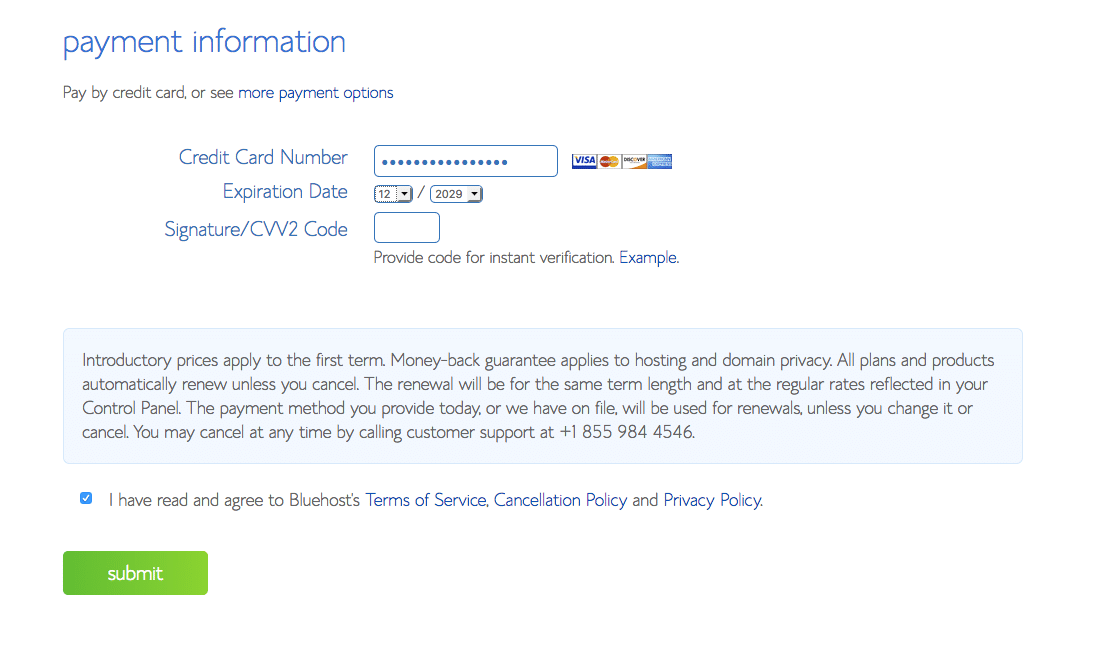
5. Here you'll enter your payment preference. Pretty standard and encrypted for security.
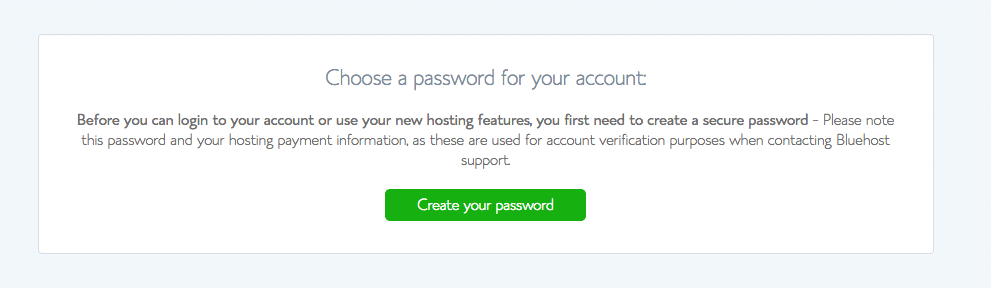
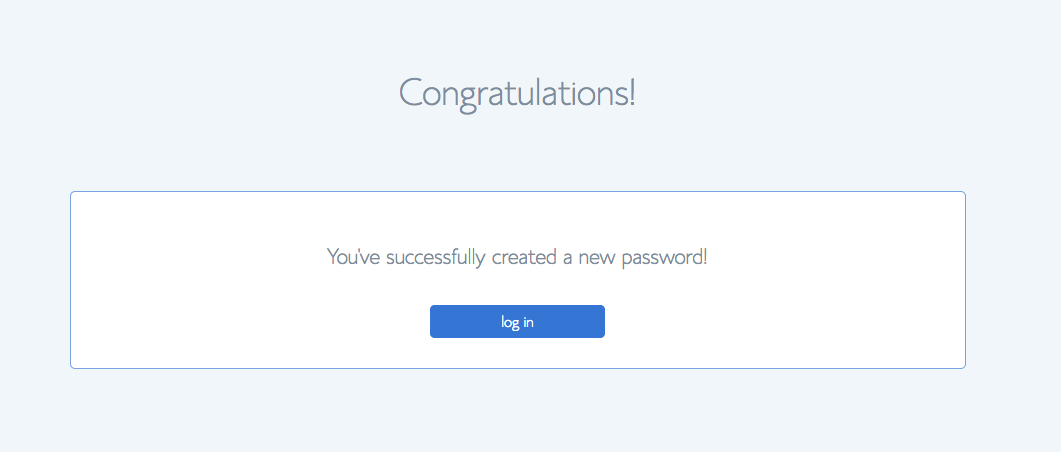
6. Create your password for your account.
7. Heeyy!!! You did it! Your account is now set-up and you're ready to create your dream blog!
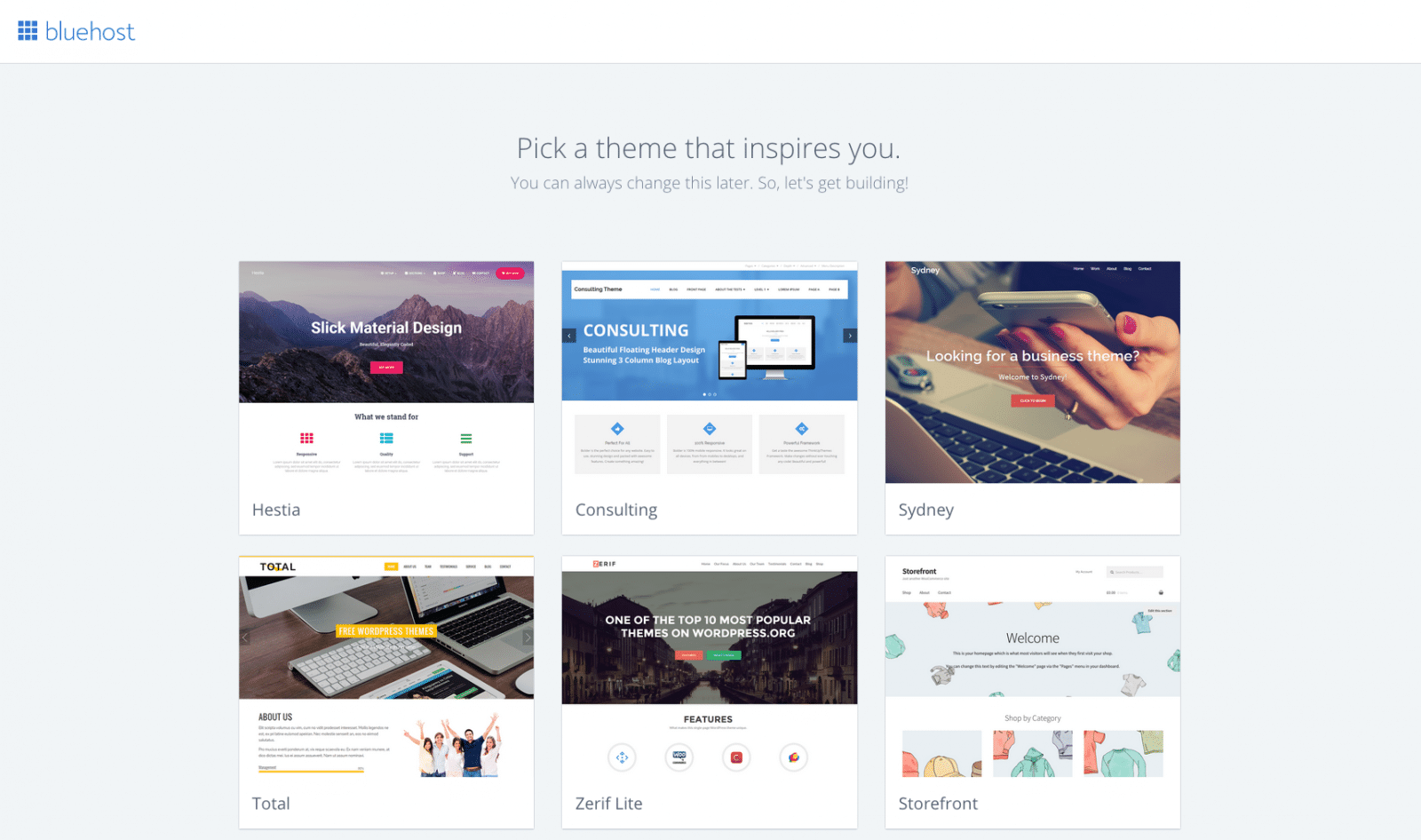
8. Now the fun begins! You're going to pick a theme you love!
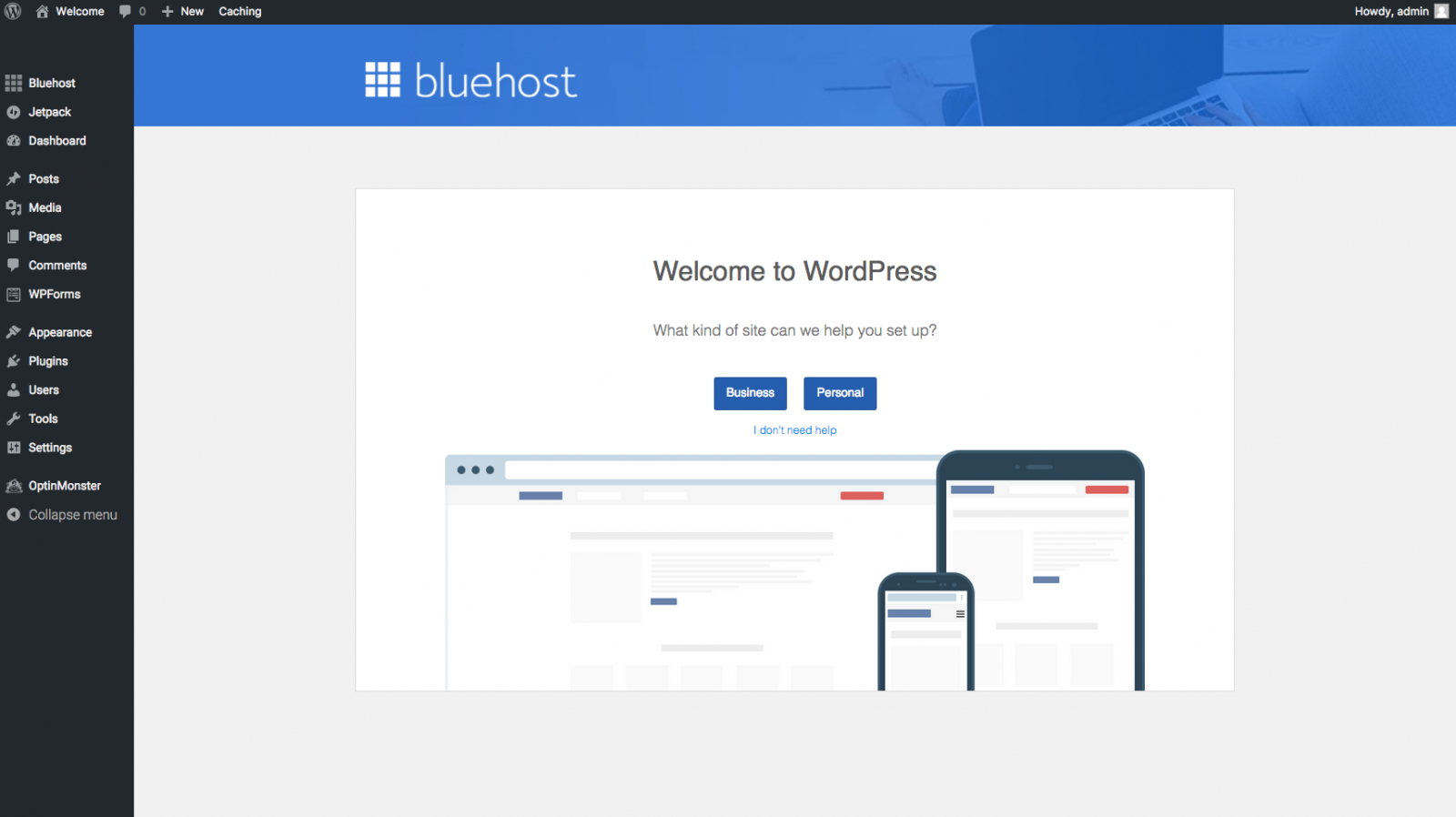
9. Now… you are ready to start building your blog! It's time to get super psyched!

10. Now that you're on the wordpress platform, you can choose if this is going to be a personal blog or more business related.
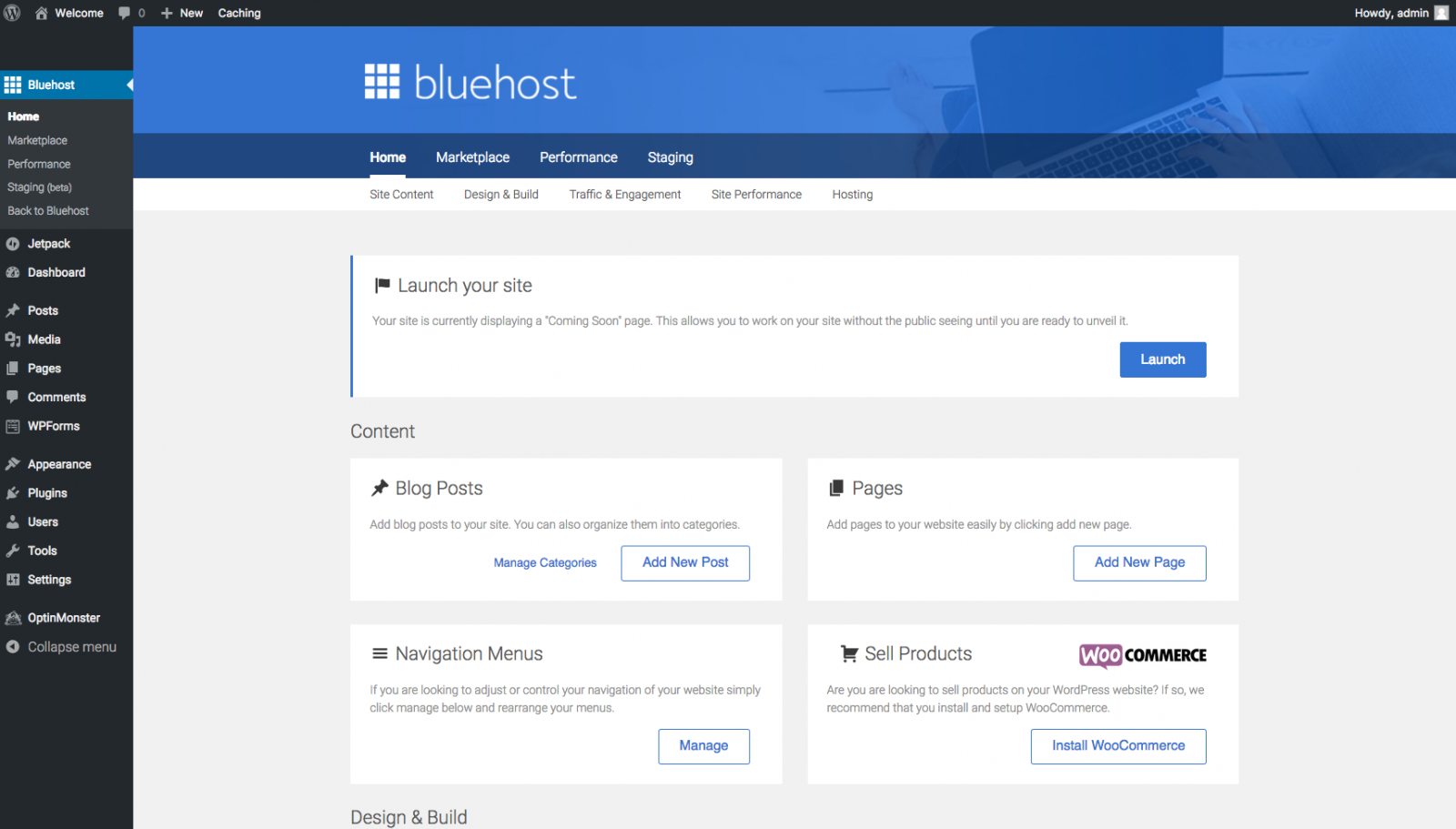
11. It's time!! Launch that blog of yours! And don't forget, there are many ways to monetize your blog, for instance, ClickBank, Adsense and MaxBounty.
Tell Me About Your the New Blog You Created!
I'm going to be really nosey and selfish here. I want to know about your new blog! I REALLY, REALLY do. So — if you created a WordPress blog at Bluehost because you read this post – I want you to tell me about it below in the comments section. This is something new I'm doing. I don't know why I didn't think of it before — but I love discovering new blogs and who better to discover than people that created a Bluehost WordPress blog after reading a post I wrote! So as of today… I want to hear from you. Your comments and stories are welcome below.
Interesting Posts Related to Blogging
How She Reached 304 Million People with FREE Content
– Amy Harrop was able to garner the attention of over 300 million people, and with free content to boot






I thought I had started a blog, and then someone told me it wasn’t “live”. Can you explain the more technical side of the process? Like what is Hosting?
Thank you
Sandra
@Sandra
You have to publish it. And in order for it to be “live” it has to be hosted on a server. Where you bought your domain name might offer hosting.
I really want to start a blog. How do you get affiliates and make money?? I am 61 and I think I have a lot to say to an audience. Almost ready to retire but want something to do when that time comes. Bookmarked bluehost for hopefully the near future.
I sure will!! Much success to you thanks.
@Majid
Good luck starting your own blog. I wish you success!
Okay, so absolutely love this site and all, BUT, I am absolutely so tired of people saying that Bluehost is so cheap. I read every article on blogging for a month and every single article said Bluehost was the best and only $2.95/month. So when I finally decided I was ready to start my blog, I, of course, went to Bluehost. First, I learned that you only received the 2.95/mo option if you did it for 36 months, which was to be paid in full, right then and there. If you only wanted to pay for one year, it was $4.95/mo. When I get the money, I will be signing up with Bluehost but I read this same lie in every blog article I read.
HI Jo!
Thanks for your input on Bluehost. I think the takeaway from most posts on Bluehost is that ultimately bloggers just starting out don’t wanna spend tons of money on hosting and they will probably need support. Granted Bluehost isn’t free or anything like that — but it’s SUPER affordable if you want a decent monthly rate AND really good support. Sure… maybe another hosting company offers $2.50 a month or something — but will they be there when/if you need them? There are certainly hosts out there just for wordpress that you can look into like WP Engine, but you’re talking $35 a month for their BASIC plan. So I guess where I’m going with this… even if you signed up for the 36 month/$2.95 with Bluehost — ultimately, you’re getting a great deal and great support. It’s like a little over $100 for THREE YEARS hosting. You’ll pay more than that in less than THREE MONTHS at WP Engine (as an example).
Hi! Been thinking about starting a blog for a while now for several reasons. The one thing that is holding me back from starting it though is that I have to many interests! You amoung other bloggers always say pick one topic/subject and do something you love. What if I’m passionate about a lot of things in my life!? How do I figure out what to blog about? I have so many areas of interest that I cannot seem to choose just one. Help please!
@Crystal
You could always pick a lifestyle type blog that covers recipes/cooking, home decor/yard and other things you’re passionate about. You don’t have to be super hardcore on one topic. My blog used to cover many things. It had a forum and I had recipes and it was a lot more about my life. But over the years I narrowed it down to what people were actually reading and what I could give time-wise.
Help! I really want to start blogging but I feel like I just don’t know where to begin and am I guess afraid of failing. It seems easy enough yet sort of difficult.
@Stacy
You just need to take that first step. Decide what you want to blog about and then move toward creating the “actual” blog and then you’re ready to start writing. Or look at it this way… even if it failed horribly (which I am sure it won’t!) – getting started is super cheap — so no big investment money-wise. Your time is certainly worth something — but you’ll be learning new things creating your blog and learning cool stuff is never a bad thing! Good luck!
This is such an awesome step by step post! So many I’ve read leave out some little bit and I ended up lost!
Thanks for sharing this. You are such an inspiration. I actually just started a blog (Shaleychicfinds.com) and I am always looking for ways to improve it.
Can I set up a blog being affiliate with another company and if so how do I get started selling their products right away?
@Bertha
I’m not sure 100% what you mean — but many bloggers have affiliate links on their sites.
Well, I came across your site while looking for something to sell, however in the process it has really motivated me in a different way. I’m a licensed massage therapist, but I don’t want to hound people to buy essential oils I don’t use, make up or jewelry I’d never wear; or diet pills I can’t ethically (or legally) suggest. Long story short, I’ve been inspired to market myself in a new way. Well, I’m not unfamiliar with having a blog, but they were personal. I don’t know why I hadn’t thought of creating a blog/website geared towards the thing I’m most passionate about: MASSAGE! There’s so much to talk about and useful information for everyday people that I share with my clients during a session. Now, I just need to work out the details and get started!
I hope bluehost is mobile-friendly! Lol
@Danielle
Congrats and much success to you!!
First, I just wanted to say this was a great informative read! I’ve been on the fence of starting a blog for quite some time and this really motivated me. I’ve been a stay at home dad (well, sort of… I work part-time) and was looking for ways to hopefully supplement my income. Now I just need to pick a topic. Any recommendations?
Something you love!!
I have started my blog about a year ago and I feel as though my writing does not have the type of appeal that your writing does. You have an enticing writing skill that draws readers in. I like my blog, however, I feel as though I would like to make one specifically about short stories. The freedom to create stories and share those short stories with people would be great, but will it draw crowds? I guess I’m just unsure about myself, but I would love to build on my blog.
Also, how to you make money with a blog?
Thank you for your time and I love reading your blog posts.
@Zuleika
It takes time. I’ve been doing this since 1999. A while… lol. There are others that have been doing it for 4-5 years with far greater success than I. Try not to make the goal money. Just be passionate about what you write and the rest will follow. There are many ways to monetize a blog. You could sell ad space yourself or join affiliate programs. Or a mix of both :-)
I am going to be starting my own blog soon. I am very excited about it. I l am looking forward to a new chapter in my life, and it is all thanks to you. I will share more when my blog is up and running. Thank you so much!
I wanted to let you know that I have started a blog about mental illness because it is something that is near and dear to my heart. It is something that I have been struggling with for over 20 years. Please check it out and let me know what you think.
Hi Tracey!
I sure will!! Much success to you!
Hi. I read this and I’m considering the blogging stuff an option right now to relieve my sad soul, speak my mind and have some cash as an unemployed single mother. But I’m afraid that my blogg turn to be so sad and pathetic that it doesn’t help anybody….
@ls
Never…. ever… ever feel like you shouldn’t start a blog. Even if it is just a cathartic place for you to bare your soul and just let go of some raw emotions. Did you know that a very successful blogger did just that?! She spoke of her struggle with depression and falling far from perfection. Her name is Heather Armstrong and I have been a fan of hers since…. WAY back… I remember when she showed everyone how she cooks edamame and well… I eat it all the time now. Something that simple. Check out her site at Dooce.com. I read an article about her recently too in Cosmo which you can read here: Get That Life: How I Became a World-Famous Blogger
There are so many other bloggers out there being genuine and honest about things like post-partum depression, money issues… even being a single mom. I really hope you do start a blog — it’s great therapy!! I promise :-)
Hi. I have registered with Bluehost, have a domain name, downloaded word press, chose a theme and now I’m STUCK! I want to do menus and contact information. I’m ready to start blogging but can’t seem to figure out how to get my blog completely set up! HELP!
@Stephanie
Oh no!!! I don’t want you to be stuck. Have you checked out the Bluehost tutorial on menus and widgets? It’s pretty good and helpful.
https://www.youtube.com/watch?v=yJDnjIre3ck
Let me know!
Kelly,
A real newbie here. You’ll be able to see how clear all the set up instructions are with me. My first domain is brightestcrayoninthebox.com and among other things, I will be blogging about empowering young ladies, high lighting programs that are working, bringing to light where progress needs to move a little faster, etc. I want to make it fun though and positive for the readers.
I look forward to working with you.
Sue
@Sue
I am so super stoked for you!! I love the domain name and the concept. I cannot wait to watch your creation! I sincerely wish you so much success!!
Kelly,
You’re site has been my lifesaver!!! Thank you!!!! my self and 2 other women are going to start a blogging page together being thrifty mothers and showing all the fun and money we saved!!! Thank you AGAIN!!!!
Cassie
Cassie,
Congratz! I look forward to visiting your site!